How To Plan Noise Cancelling Headphones For A Quieter Workday
A practical step-by-step guide to how to plan noise cancelling headphones for a quieter workday, including preparation, instructions, common issues, tips, and next steps.
How To Plan Noise Cancelling Headphones For A Quieter Workday
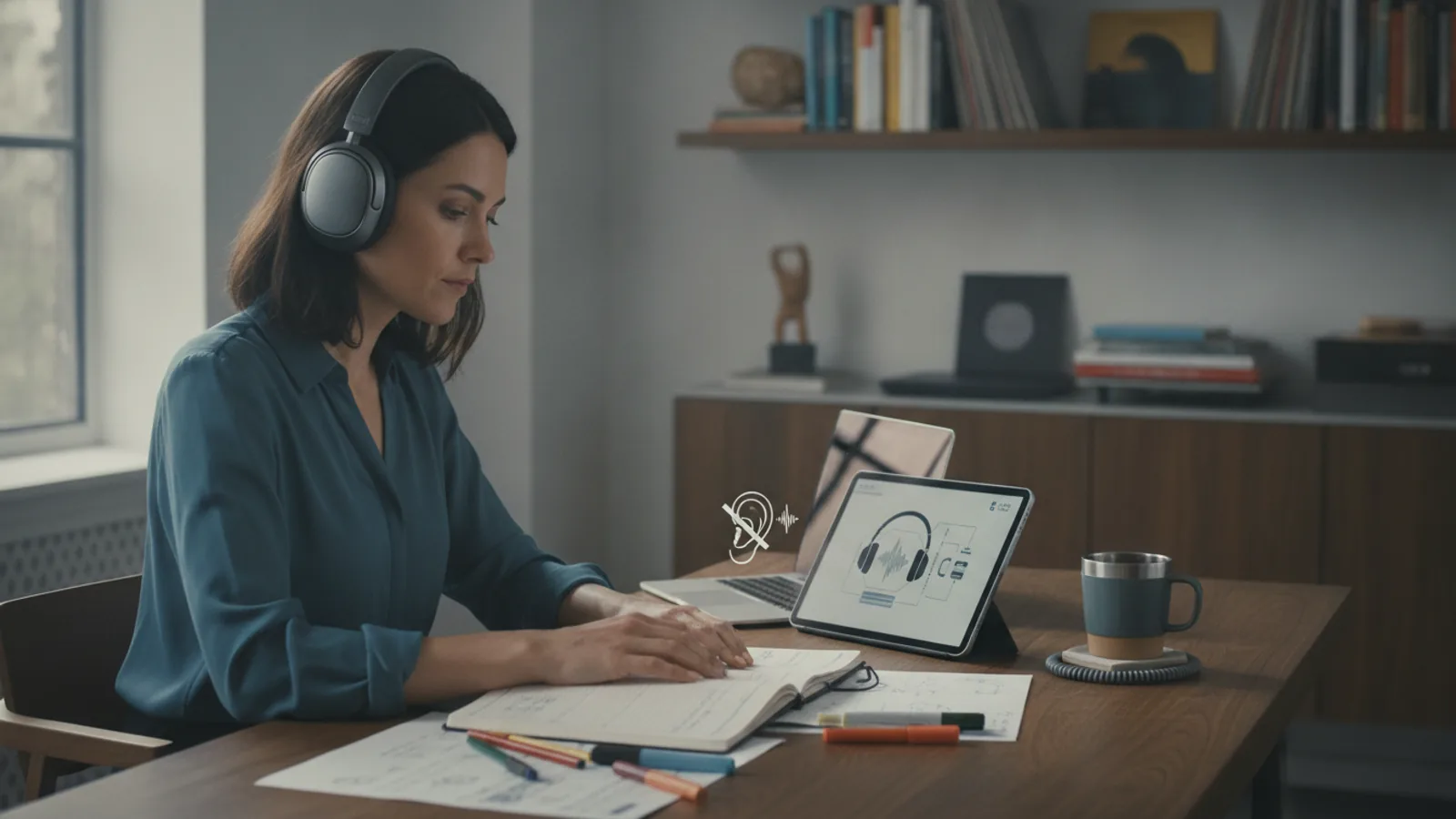
This guide helps you plan a quieter workday by using noise cancelling headphones effectively. It covers choosing the right type, setting up your environment, fitting them properly, and using them with focus techniques. You'll learn practical steps to minimize distractions and improve concentration, with tips for troubleshooting common issues and making the most of your headphones.
Fast Answer
- Plan your headphone use by identifying your noise triggers, choosing over-ear or in-ear models with ANC, and testing them in your workspace.
- Create a 'quiet routine' that includes charging, fitting, and selecting the right ANC mode before you start focused work.
Before You Start
- Identify your main noise distractions by sitting quietly for a day and noting what sounds bother you most, such as traffic, chatter, or mechanical hums.
- Choose between over-ear headphones for maximum noise isolation or in-ear models for portability and comfort during long wear.
- Ensure your headphones are fully charged and clean the ear cushions or tips to maintain seal and comfort.
- Prepare a playlist of instrumental music or white noise to pair with ANC for better focus.
Step-by-Step Instructions
Assess Your Noise Environment
Before you even buy or use headphones, spend a workday observing the sounds in your surroundings. Write down every noise you notice, from the hum of an air conditioner to the distant sound of a lawnmower. Note which occur regularly and which are sudden or unpredictable. This will help you understand what level of noise cancellation you need. If your noise is mostly low and constant, basic ANC may be enough. If it's loud and variable, you might need stronger cancellation or an isolation feature. After you've noted the noises, think about when you need silence the most, like during deep work tasks or meetings. This assessment helps you plan a headphone use schedule and choose the right ANC mode for each situation. Without this step, you might buy headphones that don't match your actual needs, wasting money and time.
Choose the Right Headphone Type
Decide between over-ear and in-ear noise cancelling headphones based on your work setup and personal comfort. Over-ear models usually provide better passive isolation because they cover your ears completely, and they often have larger drivers for richer sound. In-ear models, however, are lighter and more portable, and they work well if you wear them for hours. Try on different styles if you can, or check online reviews that describe comfort and clamping force. Also consider the headband and ear cushion material, as some may cause heat buildup. Once you've chosen a type, ensure it has an ANC feature that you can adjust, because you may need different levels in different spaces. Testing the fit while moving your head is a practical check to ensure they stay in place. This step matters because the right style reduces discomfort and improves ANC efficiency.
Set Up Your Physical Workspace
Arrange your desk so you can use your headphones comfortably for long periods. Position your computer monitor directly in front of you at eye level, and ensure your chair supports good posture. Keep a coaster for coffee or water near your dominant hand, but not in a spot where a spill could damage your headphones. Place a small container or hook nearby to store your headphones when not in use, so they don't get lost or damaged. Also, check the distance from your headphone jack to your device; if you use wired headphones, make sure the cable reaches without pulling. If wireless, ensure your device isn't too far from the headphones to maintain a stable connection. This physical setup prevents distractions from discomfort or technical issues, letting you focus on work.
Fit Your Headphones Properly
Put on your headphones and adjust the headband so it sits comfortably on your head, not too tight or too loose. For over-ear headphones, the ear cups should fully enclose your ears, forming a vacuum-like seal. For in-ear headphones, insert the tips snugly into your ear canals and gently twist them to create a firm fit. Once in place, turn on the ANC feature and listen for a change in background noise. If you still hear a lot of noise, adjust the fit or try a different ear tip size. A practical check is to gently push the headphones toward your ears to see if the noise cancellation improves; if it does, the seal is not perfect. A proper fit not only maximizes noise cancellation but also improves sound quality and prevents discomfort during long use.
Use Noise Cancelling Modes Correctly
Most noise cancelling headphones have different modes, such as full ANC, transparency or ambient mode, and sometimes adaptive mode. Start your work session with full ANC to block out the majority of background noise. When you need to briefly interact with a colleague, switch to transparency mode so you can hear them without taking off your headphones. Some advanced headphones have adaptive modes that adjust based on your environment, but you may need to manually control these in your app. If you're in a space with mostly constant noise, full ANC works well, but if there are sudden loud sounds, you might want to keep full ANC on and just accept the occasional interruption. Learn the controls of your specific model by reading the manual or checking the app, and practice switching modes quickly. This targeted use preserves battery and ensures you can communicate when needed.
Integrate Focus Techniques with Your Headphones
Wearing noise cancelling headphones alone isn't enough; combine it with proven focus methods. Use a timer to work in focused blocks, such as 25 minutes of work followed by a 5-minute break, known as the Pomodoro Technique. During your focused block, play soft instrumental music or white noise to mask residual sounds. Before each focus block, set an intention for what you want to accomplish. When you finish, take off your headphones to give your ears a rest and to signal to yourself that the session is over. This integration helps you get the most out of your ANC investment. A practical check is to review your productivity after a few days to see if the combination reduces distractions. This matters because it relies on a behavioral system, not just gear, ensuring you stay on task.
Quick Reference
| Situation | Action | Why it helps |
|---|---|---|
| When you are disturbed by sudden loud noises like a door slam or a shout. | Turn on full ANC and also play white noise or instrumental music to mask the sudden spike. | ANC reduces steady sounds but may not fully cancel abrupt noises, so audio masking helps fill in the gaps. |
| When you need to have a quick conversation without removing your headphones. | Switch to transparency or ambient mode so you can hear the person clearly while keeping headphones on. | Transparency mode passes outside sounds through, so you can engage naturally without losing your audio setup. |
| When you are wearing your headphones but still hear a hum because the fit is loose. | Adjust the headband and ear cups or try a different ear tip size to ensure a snug, airtight seal. | A proper seal is essential for effective passive isolation and lets ANC perform at its best. |
Common Issues
- Headphones feel uncomfortable after a few hours of wear.: Take breaks every 30-60 minutes to remove them and stretch your ears. If the clamping force is too strong, gently bend the metal band outward on over-ear models, or replace ear tips with softer foam on in-ear models.
- Battery drains quickly, especially with ANC on.: Turn off ANC when you don't need it, and lower the volume. If your headphones have an auto-off timer, set it to a shorter period. Also, check for background apps that may be using the Bluetooth connection excessively.
- You can still hear your own voice too loudly, even with transparency mode on.: Check if your headphones have a 'voice focus' setting or lower the transparency volume. If not, slightly remove one ear cup when speaking to avoid the echo effect, or turn off transparency when talking.
Advanced Tips
- Use a sound masking app that lets you mix different ambient tones to create a custom background that matches the frequency of your distractions.
- Schedule your noisiest tasks during times when you can take 'listening breaks' to rest your ears, like during routine email checks.
- Regularly clean your headphones' microphones and speakers, as dust can reduce ANC effectiveness and call quality.
Final Checklist
- Tested your headphones in your actual work environment to verify the ANC effectiveness.
- Set up a comfortable work area with a designating spot for your headphones when not in use.
- Practiced switching between ANC and transparency modes until you can do it without looking.
- Scheduled regular breaks to take off headphones and rest your ears, plus reviewed your productivity after a week.
FAQ
Can I wear noise cancelling headphones all day?
It's not recommended to wear any headphones all day, even with soft cushions, because your ears need ventilation. Take a 5-10 minute break every hour to let your ears breathe and reduce pressure. Also, prolonged ANC exposure to silence can be fatiguing, so occasional breaks help your brain adjust.
Do I need to spend a lot to get good noise cancellation?
No, there are affordable options that offer decent ANC, but higher-end models usually have better ANC strength and comfort. Determine your budget by prioritizing features: good ANC, comfortable fit, and reliable build. Read reviews and consider buying previous models or open-box options to save money.
Will noise cancelling headphones block out speech?
ANC primarily reduces low-frequency sounds like engine hum, but human speech is higher pitched, so it may not be fully blocked. Combining ANC with music or white noise can mask speech, but if you need silence from conversations, consider also using foam earplugs or an isolation model that has stronger passive attenuation.